


Ok… if you have gotten this far, perhaps you forgive me for the cheesy pun of a title.
If not, read on because I think you’ll really thank me for helping you give your students the feedback they need without spending all your nights and weekends!
I teach in a large suburban high school of 2500+ students. This year I will have 3 full classes of IB Spanish students (20+ each), plus 2 classes of Spanish 2 that are probably closer to 30 each. My students NEED feedback and individual attention both to motivate them and give them direction informed by an outsider’s perspective of their strengths and areas for growth. Of course I do informal assessment all the time in class. My students also peer-evaluate and self-assess using rubrics. These have their advantages and limitations, but this post is not about that.

I simply want to share with you a few AI tools that I have found helpful in boosting the amount of feedback I give my students. I don’t believe AI should take the place of human feedback, but it can be a powerful tool in your belt. It can deliver individualized, constructive feedback to masses in a matter of seconds. It can also be a bias check. But much of its success depends on which tools you use and knowing how to use them.

In upcoming posts, I’ll be sharing just a few tried and true AI tools for giving individualized student feedback. I’m kicking this off with a very useful tool I used all last year, Class companion.
What’s the big deal about Class Companion?
I don’t know about you, but grading essays can be such a daunting task. What if you could just have someone else do it, someone who would evenly apply all criteria you choose and who would immediately tell each individual student how they scored and give them constructive feedback? Does such a thing exist? You guessed it – it’s Class Companion and I’ve never paid a dime for it.

ASIDE: Now don’t mishear me. Nothing will ever take the place of the relationship and personal feedback a human teacher can give. And certainly no one has ever accused this workaholic teacher of being lazy. However, I’ve found tech tools can preserve my energy and help me be more available to my students.
I use this tool for writing proficiency. Students type OR handwrite their text and scan it. Class companion allows you to create prompts (even upload assignments) and you can add a rubric too – or it can create one for you! You can even upload support material you want it to consider when giving feedback, for example a vocabulary list or an article students read prior to completing this assignment for context. It is VERY flexible and easy to create the exact assignment you are looking for.
There are a number of settings I recommend playing with to get the assignment just how you want it, allowing/denying assistance to the students (AI assistant, preventing pasting), and you can determine things like making the assignment timed, giving multiple attempts, controlling when they receive feedback, whether they see a score or just descriptive/constructive feedback, and so much more.
Here is a video I made to walk you through it! 0:00-1:00: Initial Login and Account Setup
1:00-2:30: Creating Assignments
2:30-4:00: AI Assignment Generation
4:00-5:30: AI Settings Configuration
5:30-6:30: Rubric Creation
6:30-8:00: Submission Settings
8:00-10:00: Student Experience Demonstration
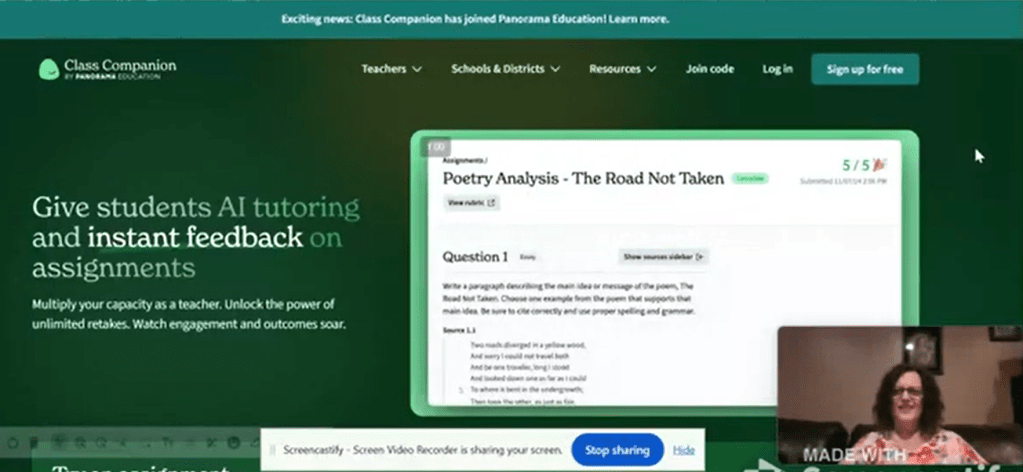
Below is an assignment I did with my Spanish 2 students with the text EntreCulturas (an email responding to Nema, a student from Nicaragua)
This is the prompt I gave my Spanish 2 students (it was an assessment we have to give and I just pasted it in.

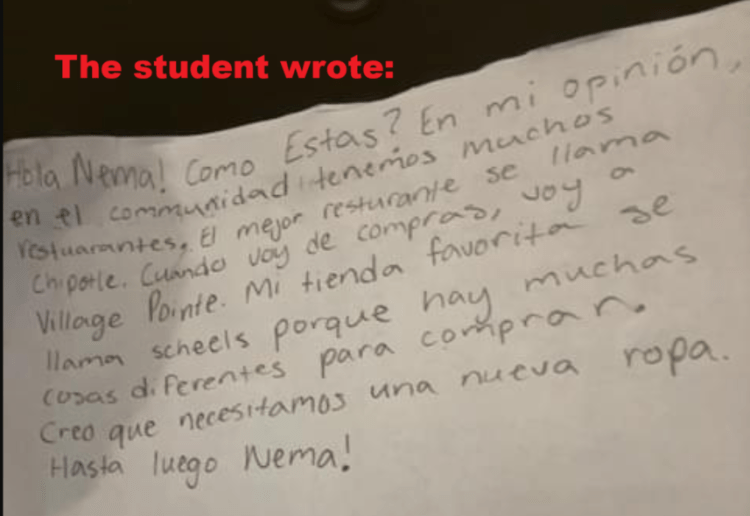
When you create the assignment, you can allow students to either 1. handwrite their answer, 2. type it or 3. they choose. I prefer to only allow them to handwrite it. This is the text one of my students, “Kelly,” wrote.
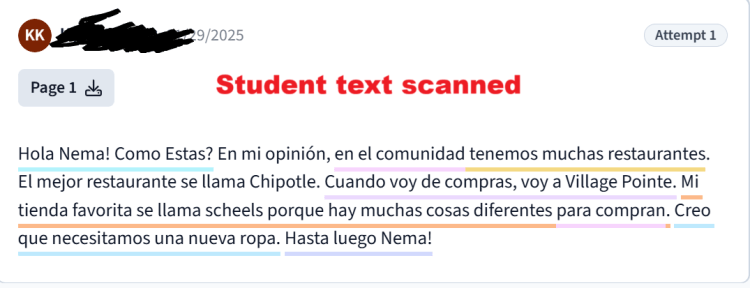
This is what it converted her text to when she scanned it (very easily done on the site). It also lets the teacher see the original scan, which is helpful. The colored underlining relates to the feedback “Kelly” received, instantly.

This is the detailed feedback that was produced immediately after the scan was completed. It scored it based on the rubric and gave feedback as well. When you are setting up the assignment, you can allow the student more attempts so they can edit their text and resubmit for a better score!
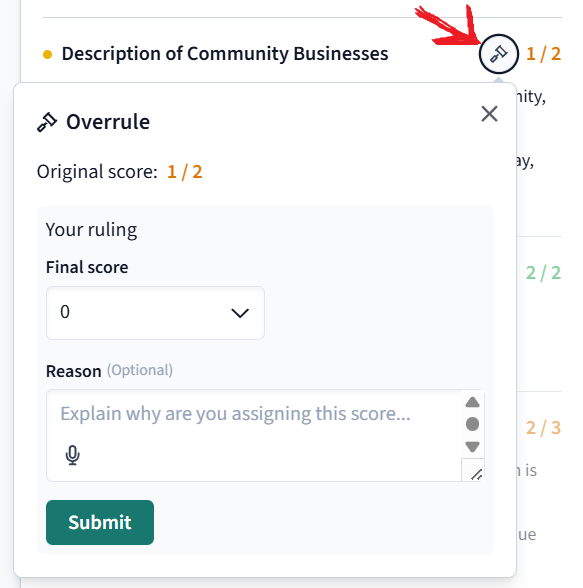
You may have noticed on the feedback by each criteria there is a little gavel. If the student clicks on it, they can request that you regrade by putting the score they think they deserve and explain why. You the teacher decide if you agree and put their final score and can give oral or written feedback.
So how about you? Do you use Class Companion? Are you willing to give it a try?
 Storytime con Sra. Jensen
Class Companion is very useful!
LikeLike