
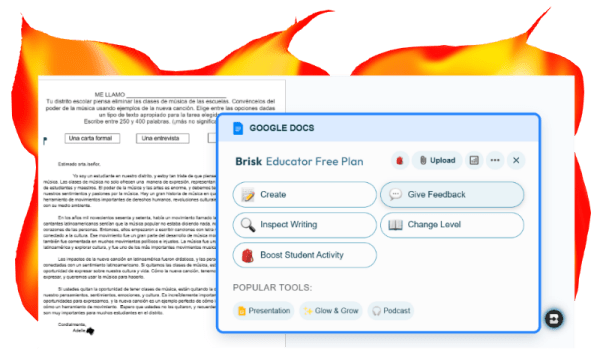

This is the second post I’m making about an AI tool for writing proficiency feedback. If you didn’t get a chance to read my post on Class Companion yet, you can read it here.
Brisk teaching is a Google Chrome extension that requires that you give it permission to access your Google Drive. Once you have installed it, a little icon will appear on your screen any time you have a document open that you can use it with.

I am sharing how it can be used for writing proficiency feedback. There are MANY other ways to use it, such as to create assessments, notes sheets/outlines, versions at a designated reading grade level, translations, etc. for content taken from Google docs, YouTube videos and presentations (and more). However, today I am sharing how I use it to assess student writing.
Feedback vs. assessment
I would not recommend this tool to straight up assess student work, as in give them a grade. With the free version anyway (which is all I use), it gives constructive feedback, uses descriptive language from your rubric, and can even give nuanced feedback with the “glow, grow and wondering” option. BUT, it will not assign number scores to their work.
LOTS of quality feedback
I like using Brisk for upper levels of Spanish and for longer texts. The students in upper levels tend to appreciate the extra efforts it takes to give them detailed feedback. It is also very helpful when preparing for high stakes assessments, such as AP Spanish Language or Literature, or the IB Spanish exam, which is what I used it to prepare my students for.
Below is what I did step by step in preparing my IB Spanish students for the Paper 1, a 250-400 word text they write based on a given prompt.
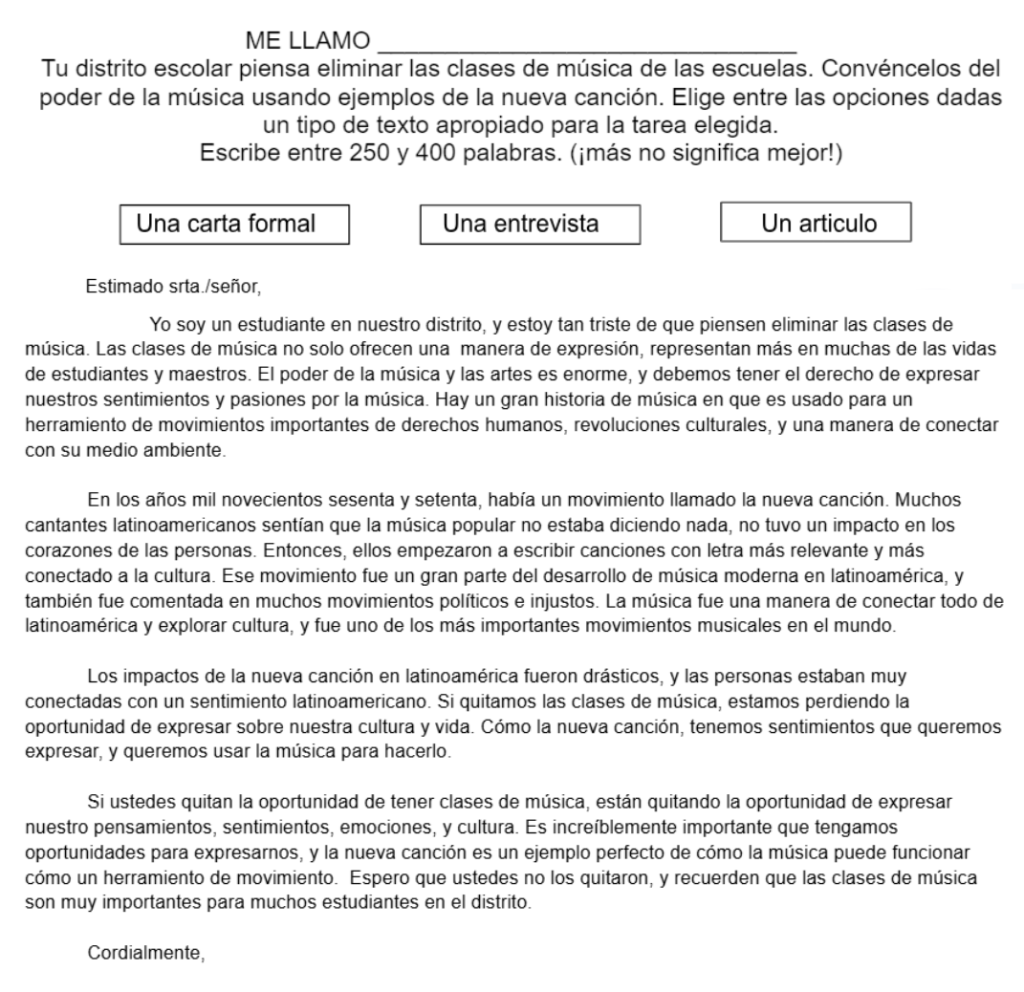
I gave my students an assignment on Google Classroom. They were given a Google doc with the prompt. The prompt is at the top of the image on the right. The student had to choose one of the 3 texts (in boxes) and write it. As you can see, this student chose “una carta formal”.
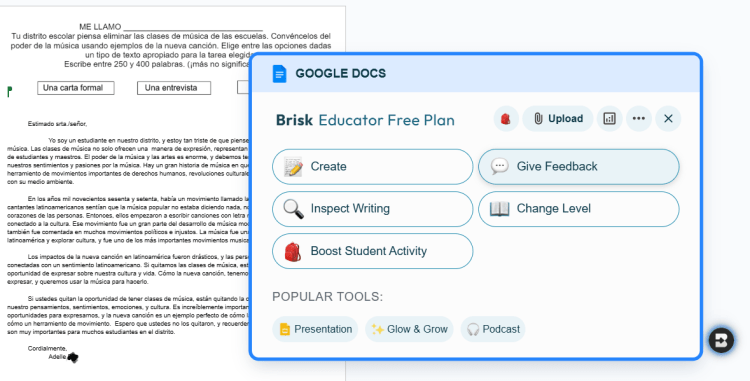
Once the students submitted their work, I opened up each document and clicked on the little “B” icon to open the Brisk menu. I selected “Give Feedback.”
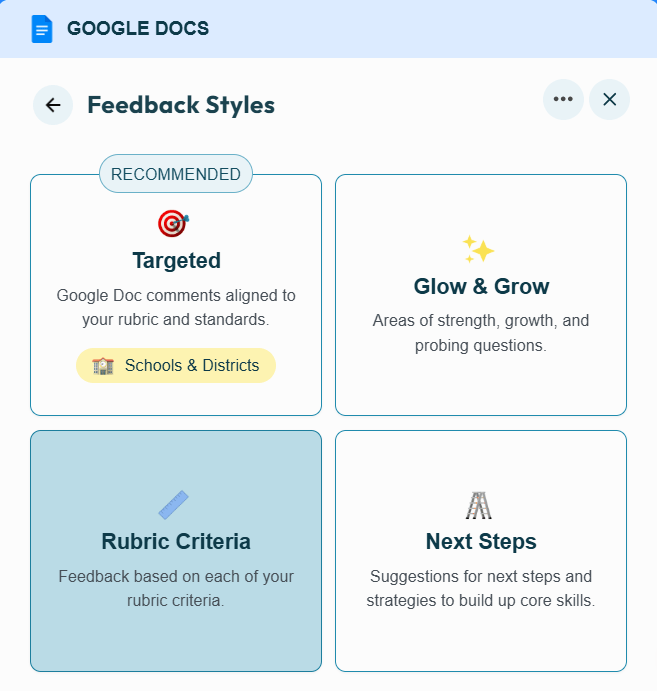
Once I selected feedback, I got this menu. I selected “Rubric criteria” and uploaded the IB Spanish rubric for the task. Then Brisk assessed the student’s writing and gave feedback, but not a number grade.
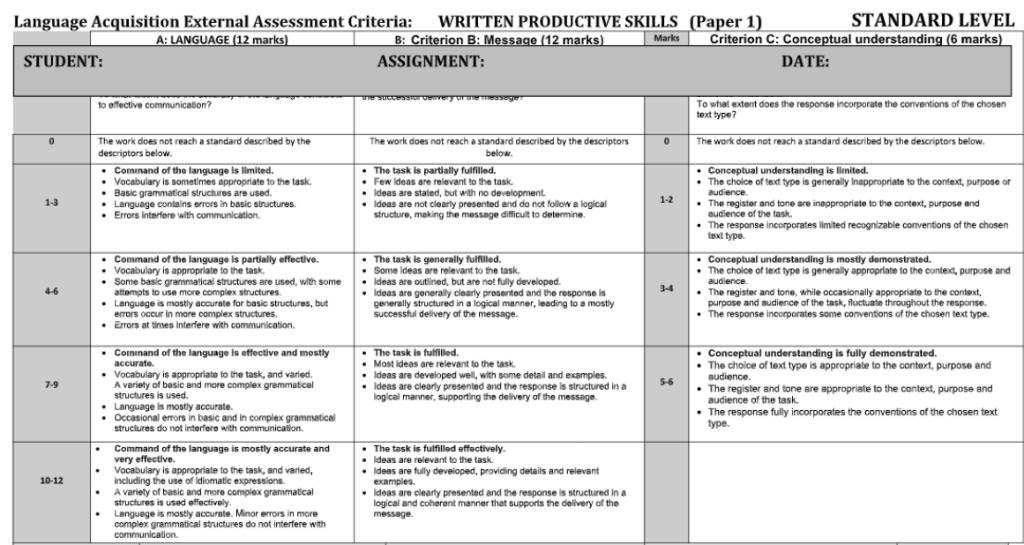
Here is a copy of the rubric I uploaded, which Brisk used to provide feedback to the student.
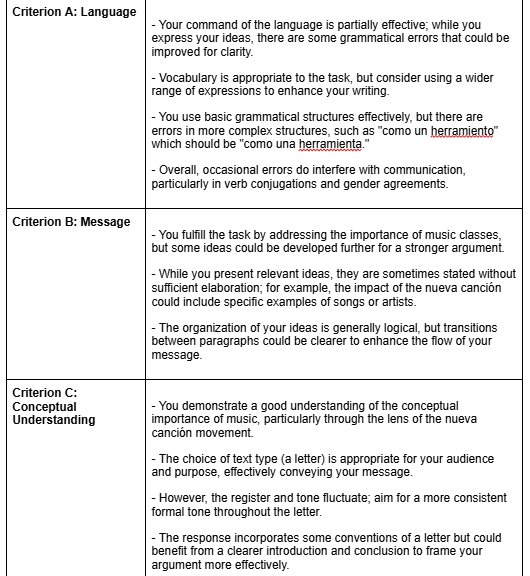
Despite not giving a number score for each of the criteria (Criteria A is 12, B is 12 and C is 6), it does give detailed descriptive feedback based on the rubric. I pasted the feedback to the right into the text and gave students an assignment of self reflection. They were to compare the feedback with the rubric and grade their own essays. They were surprisingly accurate and I think it helped them to familiarize themselves with the rubric and learn more about their own writing.
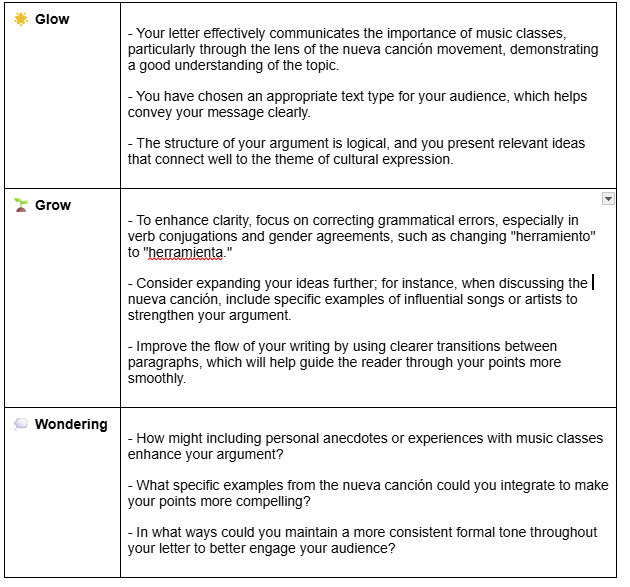
I also selected the “glow and grow” option from the menu. I love how this affirms the student and shows them what they did well, but also gives them something to work on. It ends with giving them something to think about in order to improve for the next time.
What do you think? Is using Brisk this way something that might work for you?
 Storytime con Sra. Jensen